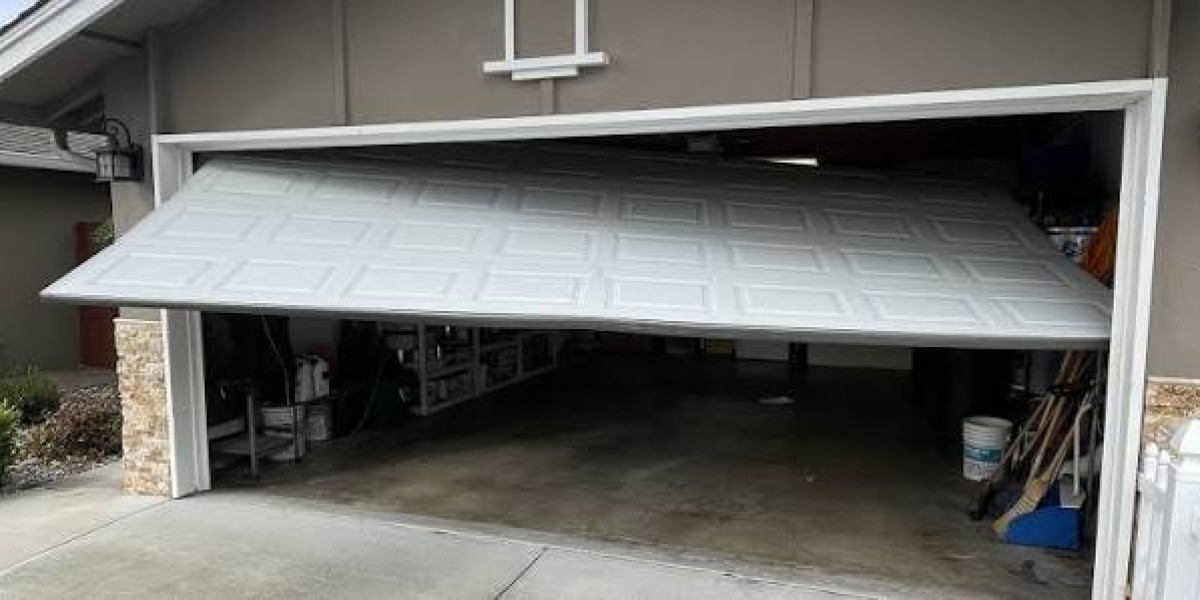

WiFi Garage Door Opener Repair helps homeowners address problems that prevent a smart garage door system from communicating properly with mobile devices, wireless networks, and connected home technology. A WiFi-enabled opener offers convenient features such as remote operation, activity notifications, and access monitoring. However, these features depend on several components working together, including the opener motor, wireless connection, mobile application, sensors, and control system.
When connectivity becomes unreliable, a WiFi Garage Door Opener Repair Service can help identify whether the problem comes from the network, opener hardware, software configuration, or another part of the system. Understanding how these components interact makes it easier to recognize problems and determine when professional assistance is necessary.
How Does a WiFi-Enabled Garage Door Opener Work?
A smart garage door opener combines traditional mechanical operation with wireless communication technology. The opener controls the door's movement, while its WiFi connection allows compatible applications and devices to communicate with the system.
Although different manufacturers use different technologies, most WiFi-enabled openers include several important components.
Wireless Network Connection
The WiFi connection allows the opener to communicate with a home router and supported mobile applications. Depending on the model, the system may require a compatible wireless frequency, network security configuration, and a sufficiently strong signal near the garage.
Smart Control Board
The control board manages the opener's electronic functions. It receives commands, processes operating information, and communicates with connected components. A malfunctioning control board may cause problems that appear to be wireless connectivity failures.
Mobile Application
The manufacturer's application provides a way to operate and monitor the garage door remotely. Depending on the model, users may receive notifications, check door status, review activity, or manage authorized access.
Safety Sensors and Door Controls
Wireless functionality does not replace physical safety equipment. Photoelectric sensors, wall controls, and other approved safety features remain important for safe door operation.
Understanding these components helps distinguish a wireless problem from a mechanical or electrical issue.
What Are the Most Common Signs of WiFi Garage Door Opener Problems?
Smart opener problems do not always appear as a complete system failure. Sometimes the garage door operates normally through a wall control but refuses to respond to commands from a mobile application.
Recognizing the difference between these symptoms can help narrow down the problem.
The Mobile App Cannot Connect to the Opener
A disconnected application may display an offline message or fail to communicate with the garage door system. This can happen because of router changes, temporary internet interruptions, outdated application software, or a problem with the opener's wireless module.
Remote Commands Take Too Long
A noticeable delay between pressing the application button and receiving a response may indicate unstable communication. Weak WiFi coverage, network congestion, or a service interruption can affect command delivery.
The Door Status Appears Incorrect
Some smart systems report whether the garage door is open or closed. If the application displays inaccurate information, the issue may involve a sensor, communication module, or system configuration.
Notifications Stop Arriving
A smart opener may normally send alerts when the door changes position. Missing notifications can result from application permissions, notification settings, account problems, or connectivity interruptions.
The Opener Works Locally but Not Remotely
If the wall-mounted control operates the door but the mobile application does not, the problem may be related to wireless communication rather than the door's mechanical movement.
A WiFi Garage Door Opener Repair Company should evaluate the complete system before recommending a repair or replacement.
Why Does a Garage Door Opener Lose Its WiFi Connection?
A wireless connection can fail for several reasons. Some problems are related to the home's network, while others originate inside the opener itself.
Weak Signal Inside the Garage
Garages are sometimes located far from the main router. Concrete walls, metal surfaces, storage equipment, and other obstacles can weaken wireless signals.
A weak signal may cause intermittent disconnections even when other devices in the home work normally.
Router or Network Configuration Changes
Replacing a router, changing a network name, updating a password, or modifying security settings can disconnect a previously configured opener.
Some smart garage door systems also have specific wireless compatibility requirements. Checking the manufacturer's instructions is important before changing network settings.
Power Interruptions
A power outage or electrical interruption can temporarily affect the opener's communication system. Depending on the model, the device may reconnect automatically or require configuration steps after power returns.
Outdated Firmware or Application Software
Manufacturers may release software updates to improve compatibility, reliability, and security. Outdated software can sometimes contribute to connection or communication problems.
Updates should be completed according to the manufacturer's instructions.
Faulty Wireless Hardware
If network coverage and settings are correct but the opener continues disconnecting, the internal WiFi module or control board may need professional inspection.
How Can You Troubleshoot WiFi Garage Door Opener Problems?
Before arranging a repair appointment, homeowners can perform a few basic checks. These steps may resolve simple connectivity issues without requiring mechanical adjustments.
Step 1: Check the Home Internet Connection
Confirm that the home internet connection is working and that other wireless devices can access the network.
If the router is offline, resolve the internet problem before troubleshooting the opener.
Step 2: Check WiFi Coverage Near the Garage
Use a mobile device to check the wireless signal in the garage. If the signal is weak, the opener may be outside the router's effective coverage area.
A compatible access point or mesh WiFi system may help improve coverage, provided it meets the opener manufacturer's requirements.
Step 3: Review Application Settings
Check whether the garage door application is updated and whether it has the necessary permissions.
Also confirm that you are signed into the correct account and that the opener is still associated with the intended device.
Step 4: Inspect the Opener's Indicator Lights
Many smart openers use indicator lights to communicate their connection or operating status. Consult the manufacturer's manual to understand the meaning of specific light patterns.
Avoid assuming that the same indicator codes apply to every brand or model.
Step 5: Follow Manufacturer-Approved Restart Instructions
Some systems can recover from temporary communication problems through an approved restart procedure.
Follow the instructions provided for your specific opener. Do not disconnect electrical wiring or open internal electrical components unless the manufacturer specifically directs a qualified person to do so.
If the problem continues, professional diagnosis is a safer next step.
When Should You Contact a WiFi Garage Door Opener Repair Specialist?
Basic troubleshooting may resolve simple network problems, but recurring failures can indicate an issue that requires technical attention.
A WiFi Garage Door Opener Repair Specialist can evaluate the relationship between the wireless system, electronic controls, motor, and safety equipment.
Professional assistance is particularly important when:
· The opener repeatedly disconnects despite stable WiFi coverage.
· The application cannot communicate with a properly configured device.
· The opener behaves unpredictably after a power interruption.
· The control board displays error indicators.
· The garage door stops responding to multiple operating controls.
· The system reports an incorrect door position.
· The opener makes unusual noises or struggles to move the door.
A specialist can determine whether the issue involves network configuration, electronic components, mechanical resistance, or a combination of problems.
What Happens During a Professional WiFi Opener Repair?
A professional repair should involve more than simply reconnecting the opener to a wireless network. The technician needs to understand why the connection failed and whether other parts of the system are affected.
Initial System Assessment
The inspection usually begins with a review of the reported symptoms, opener model, application behavior, and network conditions.
The technician may also ask whether the problem started after a router replacement, software update, or power interruption.
Wireless and Communication Testing
The wireless connection is checked to identify signal or configuration issues. Depending on the system, the technician may examine the communication module and verify whether the opener can connect to the supported network.
Electronic Component Inspection
If wireless troubleshooting does not resolve the issue, the control board, wiring connections, and other electronic components may require inspection.
Electrical testing should be performed by a qualified professional using appropriate procedures.
Mechanical and Safety Evaluation
A smart opener still operates a physical garage door. The technician should check whether the door moves correctly and whether its safety devices function as intended.
An unbalanced or obstructed door can create operating problems that should not be mistaken for a wireless fault.
System Reconnection and Testing
After the necessary repair, the system may need to be reconnected to the network and tested through the manufacturer's application.
The technician should verify that the opener responds correctly and that the approved safety functions remain operational.
How Can You Select the Right WiFi Garage Door Opener Repair Technician?
Not every garage door service provider has the same experience with smart opener technology. Businesses and homeowners should look for a professional who understands both traditional garage door equipment and connected operating systems.
A qualified WiFi Garage Door Opener Repair Technician should be familiar with the opener's manufacturer, wireless requirements, electronic controls, and safety features.
Before selecting a technician, consider these points:
· Experience with WiFi-enabled garage door opener models.
· Familiarity with manufacturer-approved troubleshooting procedures.
· Ability to distinguish network problems from hardware failures.
· Knowledge of garage door safety systems.
· Clear explanations of the recommended repair.
· Willingness to test the system after completing the work.
A WiFi Garage Door Opener Repair Contractor should also explain the expected repair scope and whether additional components may be needed.
For complicated systems, access to appropriate technical information and replacement parts can make the repair process more efficient.
Can Smart Garage Door Security Be Affected by WiFi Problems?
WiFi connectivity is not only about convenience. It can also affect how homeowners monitor and manage garage access.
When a smart opener becomes disconnected, remote status updates and notifications may stop working. This can make it harder to confirm the door's position when away from home.
Homeowners should follow basic connected-device security practices.
Use a Strong Account Password
Avoid using simple or repeated passwords for the garage door application. A unique password helps protect the account from unauthorized access.
Keep Software Updated
Install manufacturer-approved updates when available. Software updates may address compatibility, reliability, and security issues.
Review Authorized Users
Check which household members or other individuals have permission to access the smart opener. Remove access that is no longer required.
Secure the Home WiFi Network
Use the security settings recommended by the router manufacturer and avoid sharing network credentials unnecessarily.
Verify Door Status Through the Approved Controls
If the application reports that the opener is offline, do not assume that the door is closed. Confirm its physical position when it is safe and practical to do so.
What Factors Affect WiFi Garage Door Opener Repair Costs?
Repair costs depend on the actual cause of the problem and the equipment involved. A simple network configuration issue may require less work than replacing a damaged electronic module.
Common cost factors include:
· The opener's manufacturer and model.
· Whether the problem involves network settings or internal hardware.
· Condition of the WiFi communication module.
· Control board inspection or replacement requirements.
· Required wiring or electrical repairs.
· Compatibility with the existing router and application.
· Labor, diagnostic time, and replacement parts.
Homeowners should request an explanation of the problem and a clear estimate before authorizing repairs. Replacing the entire opener should not automatically be the first recommendation when a smaller component or configuration issue may be responsible.
How Can You Prevent Future Smart Opener Connectivity Problems?
Preventive care can help keep a WiFi-enabled garage door opener reliable.
Consider these practical habits:
1. Keep the router and opener within a suitable wireless range.
2. Follow manufacturer instructions when changing network settings.
3. Install approved application and firmware updates.
4. Avoid exposing electronic opener components to moisture.
5. Keep the garage door tracks and operating hardware in appropriate condition.
6. Test approved safety features according to the manufacturer's guidance.
7. Review application access and account security periodically.
8. Arrange professional inspections when recurring problems appear.
It is also helpful to keep the opener's model information and user manual available. This makes it easier to identify compatible replacement parts and follow the correct troubleshooting procedures.
How Does Legacy Garage Doors Help With WiFi Opener Problems?
Smart garage door systems combine mechanical equipment with electronic and wireless technology. A problem in one area can affect the performance of the entire system, which is why accurate diagnosis matters.
Legacy Garage Doors can be considered when evaluating garage door opener concerns, including problems involving smart access and WiFi-enabled equipment. Homeowners should explain the symptoms they are experiencing, the opener model, and any recent changes to their internet connection or application.
A clear description of the issue helps guide the inspection and determine whether the system needs configuration support, component repair, or a broader mechanical assessment.
The objective should be to restore dependable operation while keeping the opener's safety features and connected functions working as intended.
Frequently Asked Questions
1. Why Is My WiFi Garage Door Opener Offline?
An opener may appear offline because of weak WiFi coverage, router configuration changes, power interruptions, outdated software, or a problem with its internal communication module.
2. Can I Repair a WiFi Garage Door Opener Myself?
You can check the internet connection, application settings, and wireless signal using manufacturer-approved instructions. Internal electrical repairs, control board testing, and mechanical adjustments should be handled by qualified professionals.
3. Why Does My Garage Door Work With the Wall Button but Not the App?
This may indicate a wireless communication, application, account, or network configuration problem. The physical door controls can continue working even when remote connectivity is unavailable.
4. Does a WiFi Garage Door Opener Need a Strong Internet Connection?
It needs a compatible and sufficiently stable wireless connection for remote app communication. The exact requirements depend on the opener's manufacturer and model.
5. Can Changing My WiFi Password Disconnect My Garage Door Opener?
Yes. If the opener was configured using the previous network credentials, changing the password may prevent it from reconnecting until the new settings are configured.
6. Should I Replace My Opener if Its WiFi Feature Stops Working?
Not necessarily. The problem may involve application settings, wireless coverage, a communication module, or another replaceable component. A professional inspection can help determine the appropriate solution.
7. Is a WiFi Garage Door Opener Safe to Use During an Internet Outage?
Many WiFi-enabled openers can still operate through compatible local controls, such as a wall button or remote, even when internet access is unavailable. However, remote app features and notifications may stop working. Always follow the manufacturer's operating instructions.
Conclusion
WiFi Garage Door Opener Repair involves understanding both the wireless technology and the mechanical equipment responsible for operating the garage door. Weak network signals, router changes, outdated software, communication module failures, and control board problems can all affect smart opener performance.
Homeowners should begin with simple network and application checks, but repeated disconnections, electronic faults, and inconsistent door operation deserve professional attention. Choosing a technician familiar with connected garage door systems can help identify the actual cause instead of relying on unnecessary replacements.
Legacy Garage Doors can be considered when evaluating smart garage door opener problems and determining the next appropriate service step. With proper diagnosis, suitable repairs, and routine equipment care, homeowners can maintain convenient smart access while keeping the garage door system operating safely and reliably.