
Three Handheld Tracking Methods and When Each Works Best
1. Marker-Free Feature & Texture Tracking
Best for: Sculptures, human figures, intricate mechanical housings, and organic cosplay props with distinct surface relief.
Where it struggles: Smooth, symmetrical, or featureless surfaces—such as a flat sheet-metal door panel, a round PVC pipe, or a uniform black dashboard—where every frame looks identical to the sensor.
2. Adhesive Reflective Marker Tracking (Blue Laser Standard)
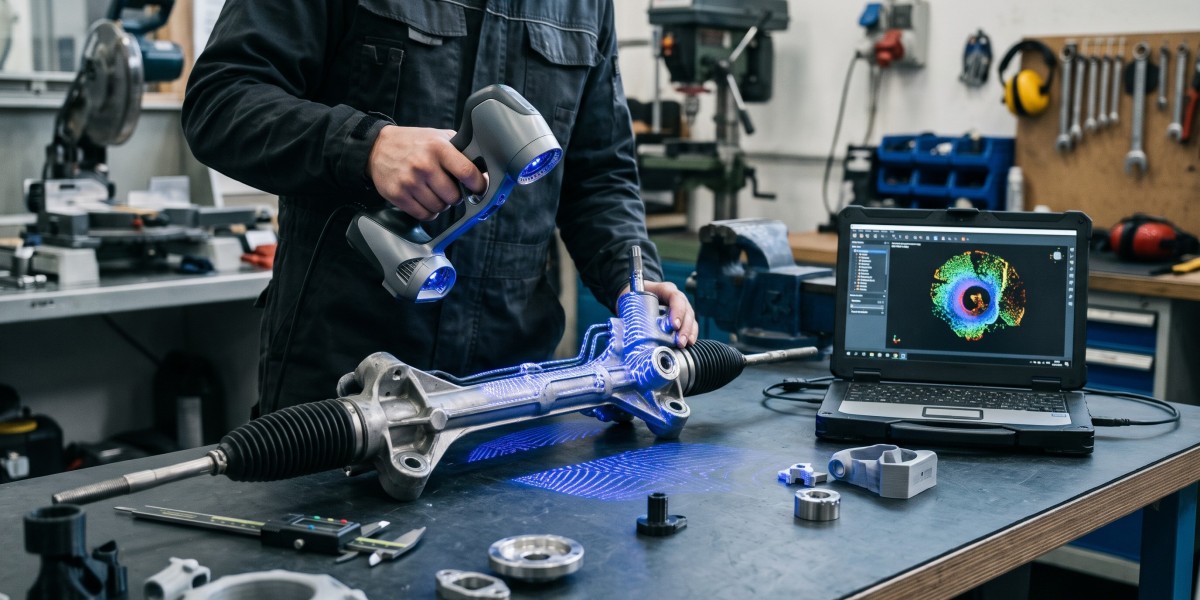
Best for: Automotive aftermarket parts, carbon fiber, matte-black ABS housings, and machined aluminum brackets.
Trade-off: Applying and removing stickers takes extra prep time when scanning large assemblies or high-volume batches.
3. External Optical-Tracking Metrology (Marker-Free Laser)
Best for: Large castings, industrial tooling, and repetitive production inspection where placing dozens of stickers on every part slows down throughput.
Matching Handheld Scanners to Tracking & Portability Needs
| Handheld Model | Tracking & Light Architecture | Rated Accuracy | Portability & Computing | Approximate US Price |
| Revopoint RANGE 3 / 3 Pro | Feature, color & marker tracking; VCSEL + 11 parallel IR laser lines on Pro | 0.03 mm + 0.2 mm × L (laser mode) | Wireless (PC & smartphone, 100,000 lux outdoor rated) | ~$351–$436 USD |
| Revopoint POP 4 | 5-in-1 hybrid: 30 blue cross lasers + 1 deep-hole line + Full-Field & VCSEL | 0.03 mm (laser) / 0.03 + 0.05 × L photogrammetric | Wireless (PC & smartphone; up to 105 FPS) | ~$755–$872 USD |
| Creality CR-Scan Raptor | Blue laser (marker tracking) + NIR structured light (feature tracking) | Up to 0.02 mm (60 FPS) | PC-tethered or wireless Scan Bridge | ~$879 USD |
| Revopoint MetroX / Pro | Multi-line blue laser + marker-free full-field structured light | Up to 0.02 mm | Handheld PC-connected (Windows / macOS) | ~$999–$1,399 USD |
| Revopoint MIRACO / Plus | Dual-range structured light + optional Photogrammetric Metrology Kit | 0.04–0.05 mm single-frame | All-in-one standalone with built-in touchscreen & CPU | ~$1,424–$2,089 USD |
| Revopoint Trackit SR / Trackit | 30-line blue laser + external optical tracking base (no part stickers) | 0.02 mm single-frame (0.025 + 0.04 × L volumetric) | Wireless handheld + tripod optical tracker | ~$3,514–$4,980 USD |
Four Practical Habits for Drift-Free Handheld Scanning
Place Markers Irregularly—Never in Straight Lines: When using adhesive markers for multi-line blue laser scans, stagger dots randomly roughly 50 to 80 mm (2 to 3 in) apart so at least four to six markers remain inside the camera's field of view at once. Symmetrical grids confuse triangulation algorithms.
Use Sublimating Spray on Glass and Mirror Chrome: Multi-line blue lasers read black ABS and bare aluminum natively, yet clear glass, transparent lenses, and mirror-finish chrome still refract or reflect beams. A light mist of sublimating 3D scanning spray creates a temporary matte layer and evaporates cleanly within hours without residue.
Pair High-FPS PC Laser Scanners With Discrete GPU Power: Streaming 60 to 105 FPS in real time demands fast parallel processing. Run PC-powered laser units on a Windows 10/11 laptop or desktop with 16–32 GB of RAM and a discrete NVIDIA RTX 3060/4060 or newer GPU—or choose a self-contained handheld like the Revopoint MIRACO Plus when scanning inside vehicles away from a workstation.
Bridge Point Clouds Into True CAD Software: Free capture suites—such as Revo Scan / Revo Metro (Revopoint), CrealityScan, and EXStar (Shining 3D)—output watertight
.STLand.3MFfiles for 3D printing. When projects require editable.STEPsolids or GD&T deviation maps, import meshes into dedicated tools like Revo Design (~$540 USD) or Revo Measure (~$499 USD).