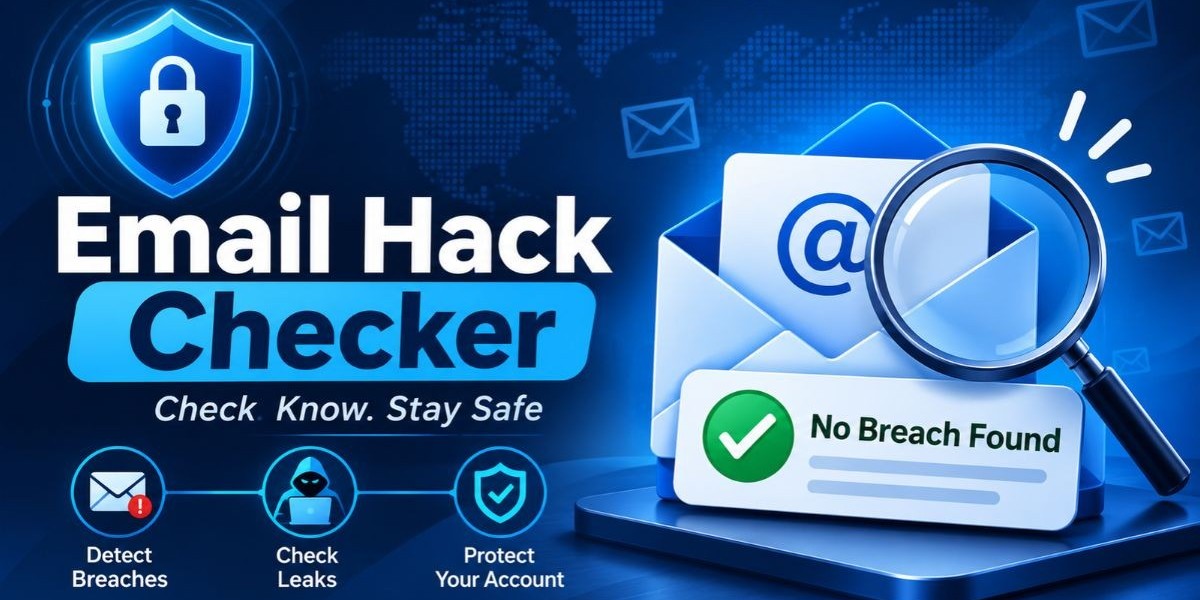

An email address is more than a place to receive messages. It is the login name for dozens of services, the destination for every password reset and the first thing an attacker looks for when building a target list. When that address leaks, the damage rarely stops at the inbox. That is why so many people reach for an email hack checker the moment they hear about a breach in the news.
The good news is that finding out takes minutes. A quick email hack checker can tell you whether an address has appeared in a known breach, an infostealer log, or a leaked credential dump, which gives you a clear reason to act before an attacker does. This guide covers how an email breach check works, how to read the result, what to do next and how security teams can fold the habit into their daily work.
What Is an Email Breach Check?
An email breach check is a search that reveals whether a given email address shows up in known leaked data, including breaches, infostealer logs and credential dumps. You submit one address and receive a yes or no style answer about exposure. It points to risk and does not confirm that anyone has entered the mailbox.
Think of it like checking whether your house key was copied. Finding out that a copy exists does not mean someone walked in, but it tells you to change the lock. In the same way, a breach result tells you to change passwords and tighten settings.
The Mispar email breach check follows this model. It looks for an address in known breaches, infostealer logs and leaked credential dumps, costs nothing and does not ask you to sign up. It checks one email at a time and it never shows the leaked password itself.
How Leaked Email Addresses Turn Into Hacked Accounts
A leaked address becomes a hacked account through a short chain of events. Understanding that chain explains why a simple lookup is worth your time.
First, a service or device loses data. A company database is copied, or malware on a personal computer collects saved logins. Second, the stolen data lands on a breach forum, in a stealer log marketplace, or inside a combolist. Third, criminals use it. They may run automated login attempts against other sites, send phishing messages that mention a real service the person uses, or sell the data to someone who will.
Credential stuffing sits at the center of this chain. Attackers feed leaked address and password pairs into software that tries them across many websites at once. If a person reused the leaked password, the attack succeeds without any clever hacking at all.
Phishing is the other common route. Knowing a real address and a real service lets an attacker write a message that looks believable. For businesses, the FBI's Internet Crime Complaint Center has repeatedly ranked business email compromise among the costliest categories of cybercrime in its annual reports, which shows how much damage can follow from one compromised mailbox.
How an Email Breach Check Works
An email breach check works by comparing the address you enter against collections of exposed data and reporting whether a match exists. The strength of the answer depends on how many kinds of sources the tool covers and how fresh they are. Here are the source types that matter most.
Public Breaches
These are disclosed incidents where a company lost user records. Many have been documented by journalists, researchers and notification services. They form the oldest and best understood layer of breach data.
Breach Forums
Breach forums are underground boards where stolen databases are advertised, sold, or shared. Material often appears here quietly, sometimes long before the affected company announces a problem.
Infostealer Logs
Infostealer malware captures saved passwords, cookies and autofill data from infected devices. According to security research publications, the resulting logs are sold or shared widely. They matter because they tend to contain current credentials tied to a single victim, not just one site's records.
Combolist Data
Combolists bundle large numbers of address and password pairs gathered from earlier incidents. They are the fuel for credential stuffing and they spread quickly because criminals copy and reshare them.
The Mispar tool searches across breach forums, infostealer logs, combolist data and public breaches. It does not claim to cover every leak that exists and no honest tool can, so a clean result should be read as "nothing found in what was searched."
How to Check If an Email Has Been Breached
Running an email breach check takes only a few steps. Follow this order so that you stay responsible about whose address you are checking.
Pick the address you want to review. Make sure it belongs to you or that you are authorized to monitor it, as with employee mailboxes at a company you manage.
Go to the free email hack checker on the Mispar site. There is nothing to sign up for.
Type in the address and start the check. The tool handles one email at a time, so work through additional addresses one after another.
Review the outcome. A match means the address appeared in a known breach, infostealer log, or leaked credential dump. You will not see the leaked password, because the tool never displays it.
Take action based on the result, using the response plan in the next sections.
Record what you checked and when. For teams, a short log makes later reviews and audits much easier.
For questions about how the address you enter is handled, read the privacy policy. The tool is built to run the check, not to collect a list of addresses and its page says the address is used only for that purpose.
How to Read Your Results
A result from an email hack checker falls into one of two groups and each needs a different response.
If the Address Was Found
A match means the address was exposed somewhere in the sources searched. Treat the matching password as burned, even if you stopped using it long ago. Assume that any account sharing that password is at risk too. The age of a leak does not make it harmless, since old credentials keep circulating in combolists.
A match also does not prove the mailbox was entered. It proves that an attacker could have the means to try. Your next task is to close those doors and inspect the account for signs of access.
If Nothing Was Found
A clean result is good news, but it has limits. New leaks surface every day and some never become visible. Keep your habits strong regardless: unique passwords, multi-factor authentication and the occasional repeat check. A clean result today says nothing about next month.
What to Do If an Email Shows Up in a Breach
The sooner you respond, the less time an attacker has to use stolen data. This plan is arranged by timing, so you know what comes first.
In the First Hour
Change the password on the exposed email account to a new, long, unique one.
Sign out of every active session on the account so stolen session data stops working.
Turn on multi-factor authentication if it is not already active, preferring an authenticator app or hardware key over text messages.
In the First Day
Change the password on every other account that used the same or a similar password.
Review recent sign-in activity, forwarding rules, filters, connected apps and recovery details in the mailbox. Remove anything unfamiliar.
Scan the device you use for malware, especially if the exposure involved an infostealer log. Changing passwords from an infected device can hand the new ones to the attacker.
In the First Week
Move your passwords into a password manager so that every account gets a different credential.
Watch for phishing messages that reference real services you use and treat unexpected links and attachments with suspicion.
If the address is a work account, tell your security team so they can check related accounts and other staff.
Personal Email vs Work Email: Why the Stakes Differ
A leaked personal address is a real problem, but a leaked work address usually carries more weight. A personal mailbox may hold shopping accounts and old newsletters. A work mailbox can connect to company systems, shared documents, customer conversations and single sign-on portals.
Work addresses also leak through channels that people do not expect. Staff sign up for outside tools with company addresses, attend webinars and register on vendor sites. When any of those services is breached, the work address goes with it. If an employee reused a work password on one of them, the company now has an exposure it never chose.
This is the reason many security programs check work addresses first. A single lookup for an administrator, finance contact, or executive can reveal a risk that would otherwise stay invisible until it turns into an incident.
Why Security Teams and MSSPs Need Email Breach Checks
Security teams need email breach checks because credential exposure is both common and quiet. Nothing alerts you when a staff member's password appears in a stealer log. A check turns that hidden risk into a clear fact that analysts can act on.
MSSPs and MDR providers face this at scale. Each client brings its own users, habits and exposure. A fast lookup helps in several recurring situations:
Triage. An analyst sees an odd sign-in and wants to know whether the user's address has leaked.
Onboarding. A new client's key accounts get a baseline check so that known exposures are fixed early.
Third-party fallout. A vendor announces a breach and the team checks the affected staff addresses.
Awareness. A real example of an exposed address makes training far more convincing.
Executive protection. High-value targets get extra attention because attackers prefer them.
A manual lookup is only the first layer. Mispar's Live Search lets a team check any email, domain, or username on demand and the Watch List catches new leaks automatically after that. That pairing matters because exposure changes over time and a single lookup captures only one moment.
Responsible Use and Authorization
The Mispar email breach check does not ask for proof that you own the address. That keeps it fast, but it puts the duty of good judgment on you. Use it for your own accounts and for accounts you are authorized to monitor, such as employee emails at a company you manage.
Looking up other people's addresses without permission raises privacy concerns and may cross legal lines depending on where you work. Security professionals should confirm scope before running checks, keep a record of authorization and store results with the same care as other sensitive data.
The tool is built to check, not to build a list. The address is used only to run the check and the privacy policy covers the exact details of data handling.
Key Features to Look For in an Email Hack Checker
Before you trust a checker with an address, compare it against this list. Good tools share several traits.
Wide source coverage. Breach forums, infostealer logs, combolist data and public breaches each reveal different exposures. A tool limited to public breaches will miss a lot.
No leaked password on screen. Confirming exposure does not require showing the secret.
Plain data handling. You should be able to learn what happens to the address you submit.
No barriers. A free check with no signup avoids account creation and extra marketing emails.
Clear authorization language. A tool that explains who should use it shows maturity.
Honest scope. Be wary of claims of total coverage or perfect accuracy.
A route to ongoing coverage. A single check should lead naturally to monitoring for teams that need it.
Comparing Your Options: Free Checks, Manual Research and Continuous Monitoring
Different situations call for different tools. A free breach check is ideal for a quick answer, manual research adds depth and continuous monitoring covers the long term. The table below lays out how they compare.
Method | Ideal situation | What it does well | Where it falls short |
Free email breach check | Fast answer on a single address | Instant, no account, no cost | Covers one address at a time |
Manual OSINT investigation | Deep dive during an investigation | Flexible and context rich | Time consuming and inconsistent |
Mailbox security review | Suspected live access | Shows real sign-ins and settings | Says nothing about leaked data |
Password manager alerts | Personal credential hygiene | Flags reused and weak passwords | Limited to stored logins |
Domain and watch list monitoring | Many staff or client addresses | Catches new leaks automatically | Needs a platform and setup |
Security awareness training | Reducing repeat mistakes | Builds lasting habits | Does not detect individual leaks |
Most mature programs combine at least three of these. The free check answers quick questions, the mailbox review catches live access and monitoring fills the gaps between lookups.
Myths About Email Hack Checkers
Several misunderstandings cause people to misread what a checker is telling them. Clearing them up makes the tool more useful.
Myth: A checker shows whether someone is in my mailbox right now. In reality, it reveals leaked data, not live access. Your provider's security page shows sign-ins.
Myth: If I was not found, I am safe. A clean result covers only what was searched at that moment.
Myth: Old breaches no longer matter. Old credentials stay useful to attackers for as long as people reuse them.
Myth: Strong passwords alone are enough. A strong password that leaks through an infostealer is still a leaked password.
Myth: Multi-factor authentication makes theft impossible. It blocks many attacks, but stolen session data and phishing can still get around weaker forms of it.
Myth: Only large companies get breached. Small services and forgotten accounts leak data too and attackers value them because they are poorly defended.
Building a Simple Habit Around Breach Checks
The most effective approach is a light routine instead of a one-off panic. Run a check on your main address and your work address now. Repeat after any news of a breach at a service you use. For teams, add a quarterly review of high-value accounts and a check whenever a user reports something suspicious.
Pair each check with the same short set of actions: confirm unique passwords, confirm multi-factor authentication and look at recent sign-in activity. That tiny routine catches most problems early and costs almost nothing.
Interesting Facts and Key Stats
The points below come from well-known guidance and research. They are described by source type and none of them depends on a made-up number.
NIST Special Publication 800-63B advises that systems should allow long passwords and screen new ones against lists of known compromised values, which reflects how often leaked passwords are reused.
The FBI's Internet Crime Complaint Center has repeatedly listed business email compromise among the highest-loss cybercrime categories in its annual reports.
According to the Verizon Data Breach Investigations Report across multiple editions, the human element, including stolen credentials and phishing, is involved in a large share of breaches.
CISA guidance encourages organizations to adopt phishing-resistant multi-factor authentication, since some codes and prompts can be intercepted or tricked out of users.
Security research publications explain that infostealer malware can capture session cookies, which is why signing out of active sessions matters after an exposure.
Public breach notification services, including Have I Been Pwned, run by security researcher Troy Hunt, helped make checking an address against disclosed breaches an ordinary security step for everyday users.
Conclusion
An email hack checker gives you something rare in security: a fast, concrete answer to a worrying question. A single email breach check can reveal whether an address was exposed in a breach, an infostealer log, or a credential dump and that knowledge lets you reset passwords, switch on multi-factor authentication and inspect the mailbox before an attacker acts.The check is a starting point, not a finish line. Pair it with unique passwords, a look at your account's sign-in activity and regular repeat checks. Teams that manage many addresses should add ongoing monitoring so that new leaks never go unseen and Mispar offers both quick lookups and platform features built for that purpose. Check your own accounts today and make the habit a routine.
Frequently Asked Questions (FAQs)
How can I check if my email was in a data breach?
Enter the address into a breach lookup tool and read the result. The Mispar tool is free, needs no signup and searches breaches, infostealer logs, combolist data and leaked credential dumps.
Is it safe to use a free email hack checker?
It can be, if the tool explains how it treats your input and never displays leaked passwords. Read the privacy policy first and never enter your actual password into a checker.
What should I do first if my email was leaked?
Change the password and sign out of all sessions. Then enable multi-factor authentication and update every other account that used the same password.
Is it okay to check another person's email?
Only with their permission or proper authorization. Stick to your own accounts and to accounts you are authorized to monitor, like employee mailboxes at a company you manage.
What does credential stuffing mean?
Credential stuffing is the automated testing of leaked login pairs across many sites. It works when people reuse passwords, so unique passwords are the best defense.
If my email leaked, was my password exposed too?
Not necessarily, since some leaks include only addresses. Because you cannot always tell, change the password anyway and treat any reused versions as compromised.